


 Choose More Skins or Customize Your Own
All diverse PlayerDIY Web Player Skins are artistically designed for FREE downloading and with unique personalities that will perfectly match different website themes or festival celebrations.
Available Skins to Choose from and it will be Continually Added
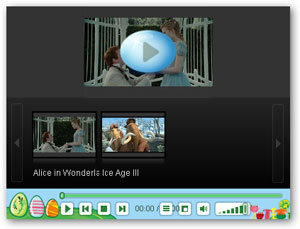 Easter Blue
Category: Festival
Released on: Apr, 1st, 2010
Tips: Applies to all player versions
Learn more
WEAR IT!
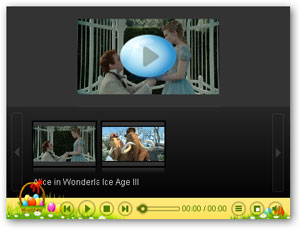 Easter Yellow
Category: Festival
Released on: Apr, 1st, 2010
Tips: V2.4 and up player versions shall
ensure better visual effect
Learn more
WEAR IT!
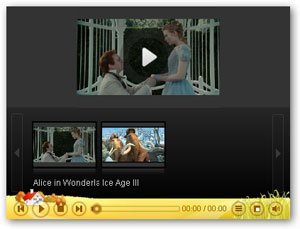 st
stCategory: Novelty
Released on: Apr, 6th, 2010
Tips: V2.4 and up player versions shall
ensure better visual effect
Learn more
WEAR IT!
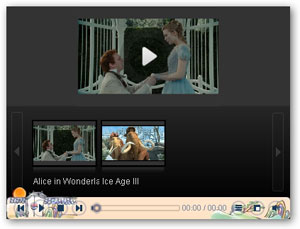 Retro
RetroCategory: Novelty
Released on: Apr, 6th, 2010
Tips: V2.4 and up player versions shall
ensure better visual effect
Learn more
WEAR IT!
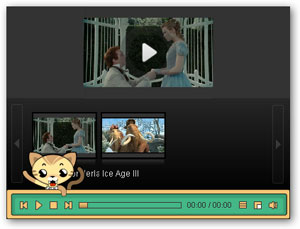 Naughty Cat
Category: Novelty
Released on: Apr, 07th, 2010
Tips: V2.4 and up player versions shall
ensure better visual effect
Learn more
WEAR IT!
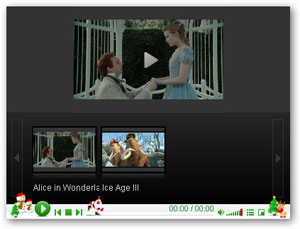 Christmas 01
Category: Festival
Released on: Dec, 16th, 2009
Tips: V2.4 and up player versions shall
ensure better visual effect
Learn more
WEAR IT!
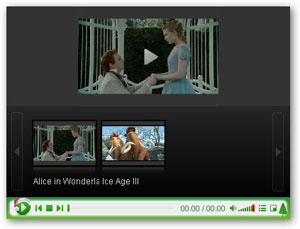 Christmas 02
Category: Festival
Released on: Dec, 16th, 2009
Tips: Applies to all player versions
Learn more
WEAR IT!
Easy Downloading and Installation
Step 1: Click "Wear it" button to download the zipped skin file and then unzip it.
Step 2: Copy and paste all the unzipped folders to PlayerDIY Web Player installation directory. Click "Yes" when overwrite file prompts.
Tips to locate installation directory: right click PlayerDIY Web Player desktop icon-->"Properties"-->"Shortcut"
-->"Find Target" -->"Control".
Step 3: Restart PlayerDIY Web Player and use those fabulous skins within the same catagory to customize your own-style flash video player.
Customize Your Own Player Skin
PlayerDIY Web Player offers a great opportunity for those registered users who want to make their own-style player skins. Simply select a player skin you are interested from skin list and then email us its name, your order ID and registered email address so that we can send you an editable template of the player skin you have selected ASAP.
Click here to learn how to make the customized player skin work with PlayerDIY Web Player.
Click here to become one of the registered users of PlayerDIY Web Player.

- Set control-bar color to match website
- Set background color of player
- Set the position of control bar
- Customize Preloader button
- Hide control bar automatically
- Remove the "Embed & URL" Area
- Hide mouse automatically
- Hide playing time
- Hide playlist icon
- Hide previous and next icons
- Hide playing process bar
- Customize right-click menu
